Moodle Plugins directory: Navigatr | Moodle.org

Navigatr
Navigatr Plugin for Moodle
This plugin connects your Moodle courses to Navigatr's digital badge pathways platform. When a learner completes a course, the plugin automatically issues a Navigatr badge on their behalf — no manual processing required.
A digital badge is a tool to recognise learning, experiences and skills development that can be shared across the web. Badges contain data about what a person achieved, when they did it, and act like a built-in reference from your organisation.
Ready to get started? You'll need a Navigatr provider account. Register for a free trial to create and manage your badges.
Why Navigatr?
Navigatr badges meet the Navigatr Badge Framework standard. Learners can share them on LinkedIn, add them to CVs, and use them as verifiable proof of achievement. Every badge includes a QR code so employers and institutions can verify authenticity and see the evidence behind it.
The AI Badge Assistant makes it straightforward to create high-quality badges in under a minute.

PDF Certificates: Every badge can be exported as a PDF certificate, ready for printing.

Key Features
Automatic Badge Issuance
• Badges are issued automatically when a learner completes a course
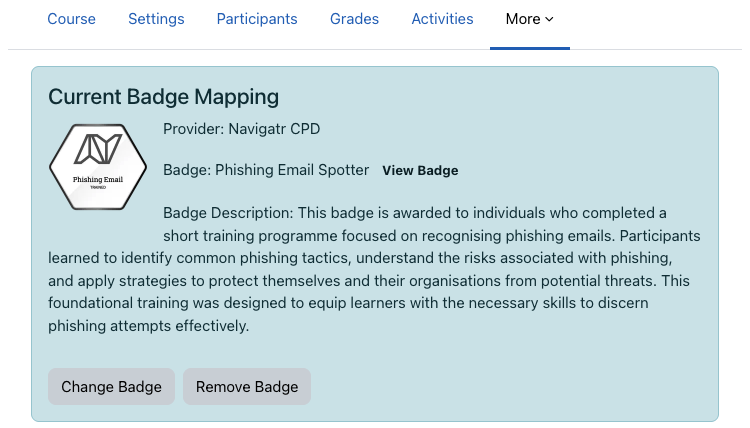
• Course-to-badge mapping is configured once per course
• Issuance runs in the background using Moodle's task system — no impact on the learner's experience
• Failed attempts are retried automatically with exponential backoff
• Duplicate issuances are prevented through deduplication
Simple Configuration
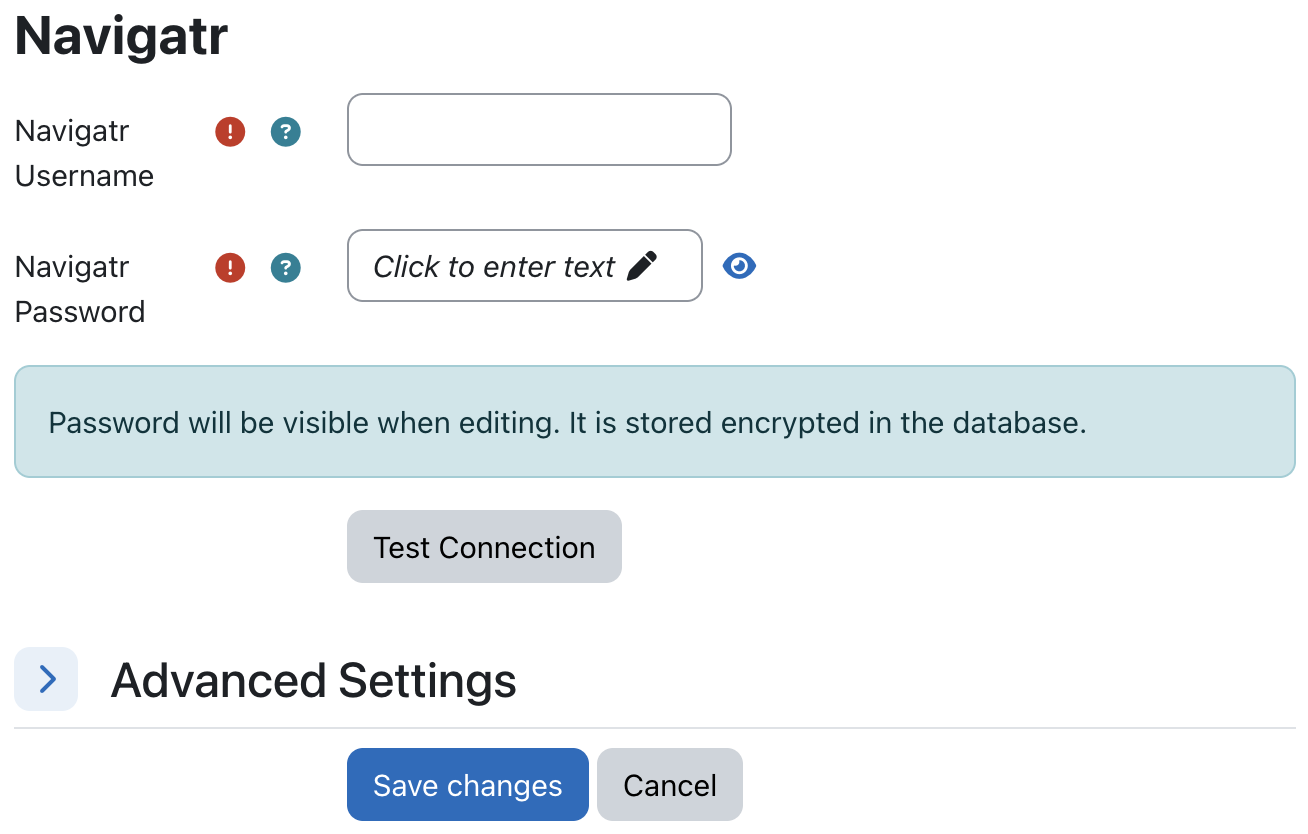
• Administrators configure a Personal Access Token (PAT) at the site level
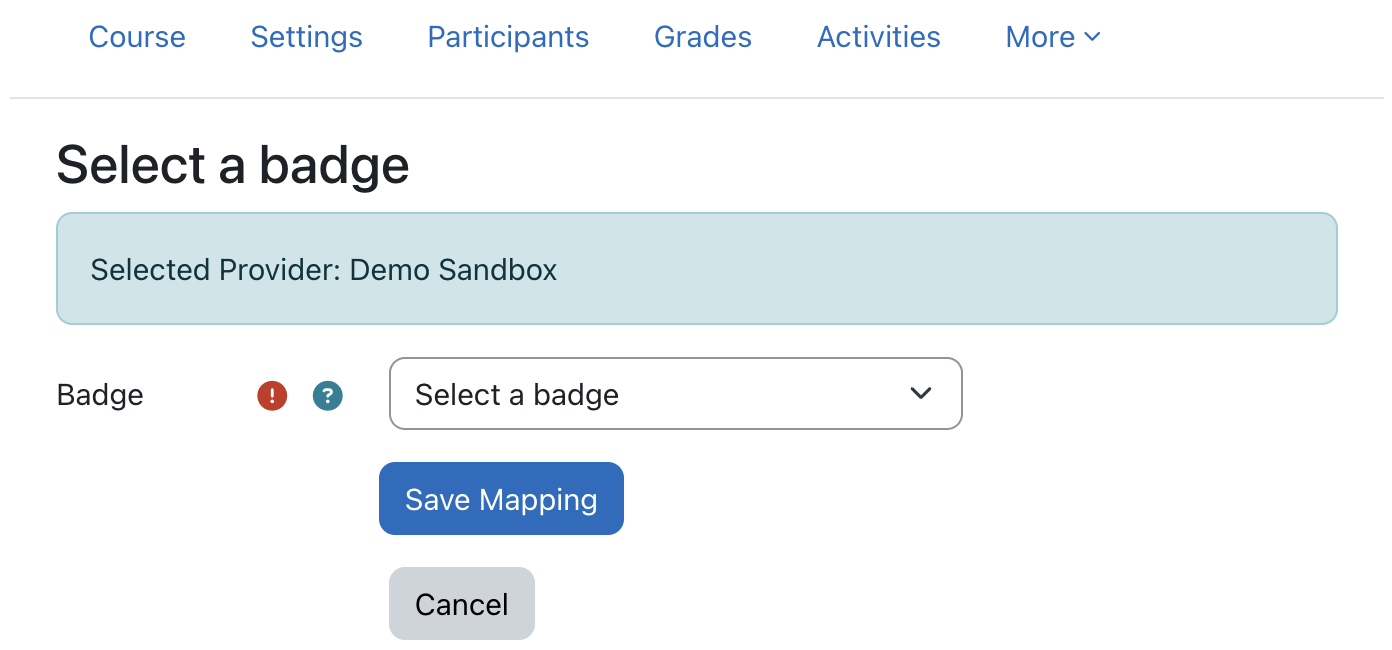
• Teachers or managers choose a provider and badge for each course
• A built-in connection test confirms the PAT is working before you go live
• Switch between production and staging environments when needed
Audit Trail
• Every badge issuance attempt is recorded — success or failure
• Records include status, HTTP response code, and error details
• Deduplication keys prevent the same badge being issued twice
Privacy and GDPR
• Full implementation of Moodle's Privacy API
• Learners can export their badge issuance records
• Learners can request deletion of their audit records
• PII transfer to Navigatr is clearly documented
Security
• PAT stored encrypted on your Moodle server using AES-256-CBC
• All API communication uses HTTPS
• Role-based access control: site admins configure credentials, teachers configure courses
Performance
• Providers and badges are cached for 10 minutes to reduce API calls
• Badge issuance runs as a background task — no impact on page load times
Technical Details
Database
The plugin creates two database tables:
• local_navigatr_map: course-to-badge mappings
• local_navigatr_audit: badge issuance records
API Integration
• Integrates with Navigatr REST API v1
• Authentication: Personal Access Token sent as X-Access-Token header
• Providers and badges are fetched dynamically and cached
• Badge issuance uses PUT /badge/{id}/issue
Event System
• Listens to Moodle's core\event\course_completed event
• On completion, queues an adhoc task for background processing
• Custom events log issuance outcomes to Moodle's standard log store
Installation & Setup
Prerequisites
• Moodle 4.1 LTS or later
• PHP 8.1, 8.2, or 8.3
• A Navigatr provider account with a Personal Access Token
• Outbound HTTPS access to Navigatr API endpoints
Installation
- Sign up for a Navigatr account at navigatr.app/register/plan/launch
- Copy the plugin files to
local/navigatr/in your Moodle directory - Generate a Personal Access Token in your Navigatr account settings, then enter it under Site Administration → Plugins → Navigatr
- In each course you want to badge, open the course settings and select a provider and badge
- Test with a course completion to confirm badges are being issued
Configuration Options
- Environment: production or staging
- HTTP timeout: configurable request timeout (default: 30 seconds)
- Connection test: verify your PAT is working at any time
- PAT management: save, test, or remove your token
Use Cases
Education providers
- Recognise course completion with verifiable digital credentials
- Support student employability with shareable evidence of achievement
- Strengthen CPD programmes with credentials learners can add to LinkedIn
Employers and corporate training
- Recognise employee training and development beyond traditional qualifications
- Issue credentials for compliance and mandatory training completion
- Give employees shareable proof of skills for career progression
Local authorities and nonprofits
- Connect community learning to visible, shareable achievements
- Demonstrate the impact of skills investment to funders and partners
- Recognise participants in programmes that don't lead to formal qualifications
Support & Resources
- GitHub Repository: Source code, issue tracking, and release notes
- Help Centre: Step-by-step guides and video tutorials
Screenshots


Comments