Moodle Plugins directory: Onetopic format: Versions: 4.2.05(ElCardal) | Moodle.org

Onetopic format
Course formats ::: format_onetopic
Maintained by  David Herney
David HerneyCourse format that allows showing each topic in a tab, keeping the current tab between calls to resources, in such a way that when it returns from a module as the blog or the glossary it returns to tab from where you started. This format is based on the Moodle standard format: “Topics”.
Onetopic format 4.2.05(ElCardal)
Moodle 4.2, 4.3
Released: söndag, 21 juli 2024, 08:08
COURSE FORMAT Onetopic
Package tested in: moodle 4.3+.
QUICK INSTALL
Download zip package, extract the onetopic folder and upload this folder into course/format/.
ABOUT
- Developed by: David Herney - davidherney at gmail dot com
- GIT: https://github.com/davidherney/moodle-format_onetopic
- Powered by: BambuCo
- Documentation: En - Es
COMING SOON
- Fix: the topics bar is not refresh when change (move a section in boost sections bar) or delete a section.
IN VERSION
2024050303:
- Update section control menu for Moodle 4.2 and stabilization improvements.
2024050301:
- Support bulk edit tools.
2022081610:
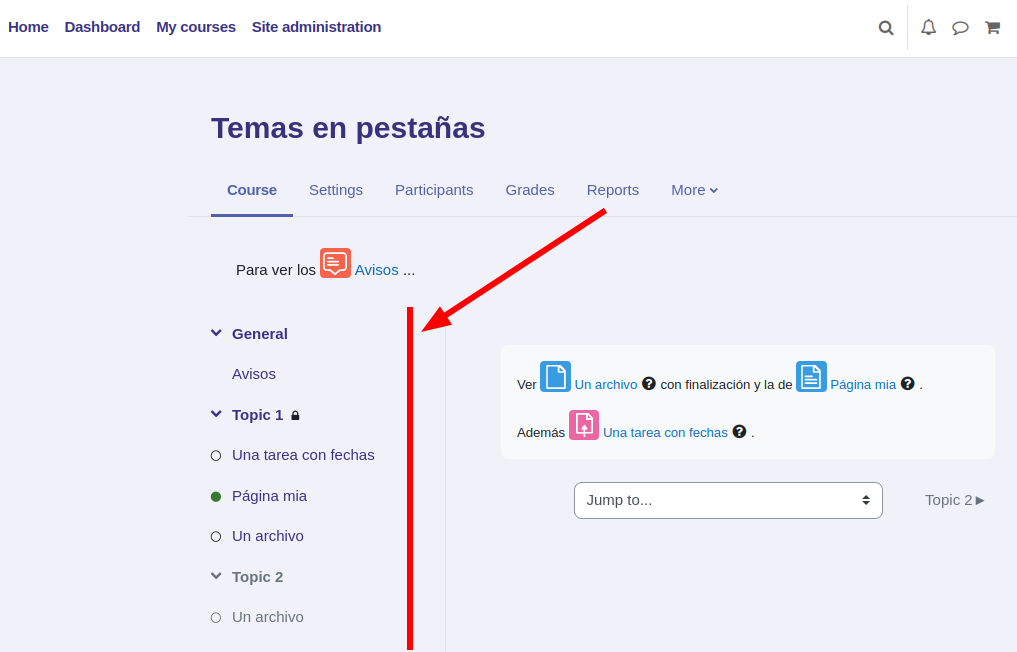
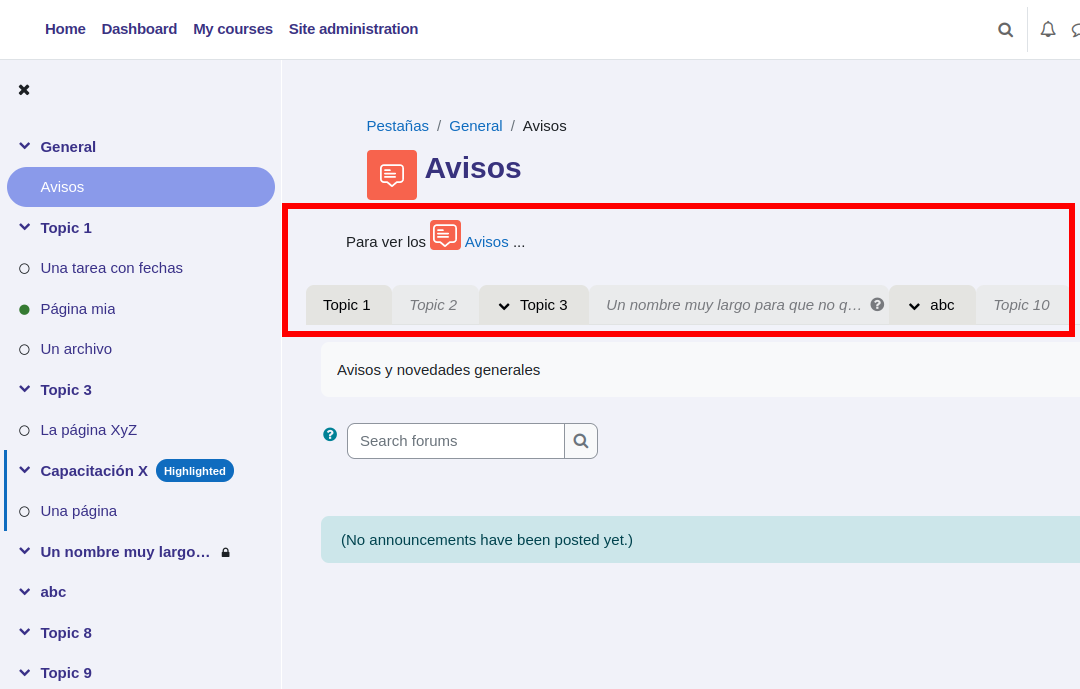
- New tabs view option: course index
- New scope to show tabs: modules. Included admin setting to enable it. Funded by Ecole hôtelière de Lausanne
2022081609:
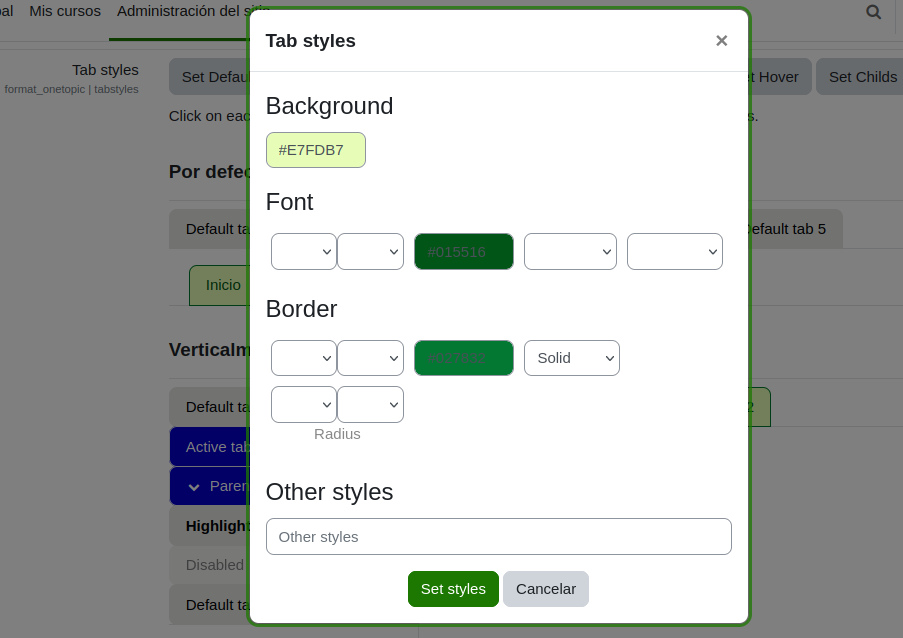
- New tabs style editor in site settings. Funded by Ecole hôtelière de Lausanne
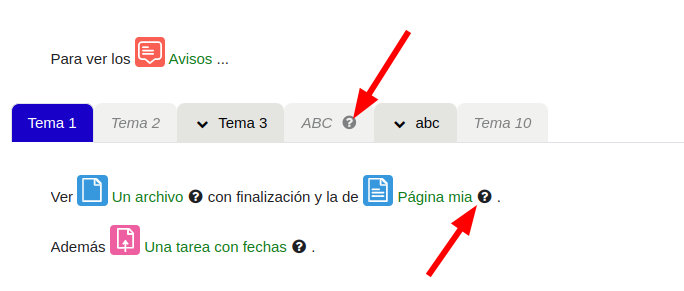
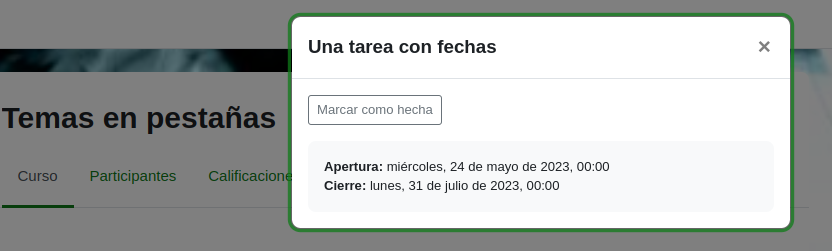
- Show "Availability information" in tabs and in the template mode.
2022081608:
- Navigation options: Next/previous section, with different display options.
- A site setting option to define if use an anchor to navigate to the top of tabs when click in a tab.
- New course setting to hide the course index bar.
2022081607:
- Duplicate section feature.
2022081606:
- Enable/disable custom styles in site level
- Chevron icon for tabs with child's
- New CSS class for tabs with child's: haschilds
2022081605:
- Check compatibility with moodle 4.1
- Add section move controls
- Notice in the tab bar when a course is being edited and the tabs are hidden from students
2022081604:
- Stabilization
2022081602:
- Compatibility with moodle 4.0
Version information
- Version build number
- 2024050305
- Version release name
- 4.2.05(ElCardal)
- Maturity
- Stabil version
- MD5 Sum
- b9981d70476f8aecfe526135ad122898
- Supported software
- Moodle 4.2, Moodle 4.3
- Latest release for Moodle 4.2
- Latest release for Moodle 4.3
Version control information
- Version control system (VCS)
- GIT
- VCS repository URL
Default installation instructions for plugins of the type Course formats
- Make sure you have all the required versions.
- Download and unpack the module.
- Place the folder (eg "myformat") in the "course/format" subdirectory.
- Visit http://yoursite.com/admin to finish the installation